


Managing a connected security system from a phone sounds simple until you are trying to leave home, check on a family member, or work out why an alert appeared while you are away. ADT Control® is built for that exact kind of moment: it brings the connected side of an ADT setup into one mobile experience instead of making you rely on separate controls for every part of the system. I found it most useful when I treated it as a daily control point rather than an app I opened only during an emergency.
This is a free lifestyle app from ADT LLC, aimed at people who already use compatible ADT services and equipment. Its average rating sits at 4.5 from around 137 thousand ratings, and it has passed one million installs, so it is clearly being used well beyond a small group of early adopters. The important qualification is that the app’s value depends heavily on the ADT system connected to it. It is not a general-purpose security tool that becomes fully useful on its own.
From leaving home to knowing what happened
The starting condition matters more than the download
Before I would recommend installing this, I would first ask a practical question: do you have an ADT-connected setup that the app is meant to control? The download itself is free, and the content rating is Everyone, but that does not make it a standalone replacement for a complete security arrangement. The app is the phone-facing layer of the experience, not the entire security service in a box.
That distinction prevents a common disappointment. Someone looking for a quick camera viewer or a basic alarm button may expect immediate usefulness after installation. A person with an active ADT setup, on the other hand, can use the app as a bridge between the physical home and the decisions they make while away. In my view, that is where it earns its place: it turns a security routine into something I can check and manage without returning to the control panel.
The app was released on January 24, 2019, and the current version is 5.10.7. It supports operating systems from version 9 onward. Those details are worth checking before planning a household rollout, especially if an older phone is still used as the main device. A newer phone is not automatically better for security, but an unsupported operating system can make any connected-home workflow awkward or impossible.
My first pass through the setup
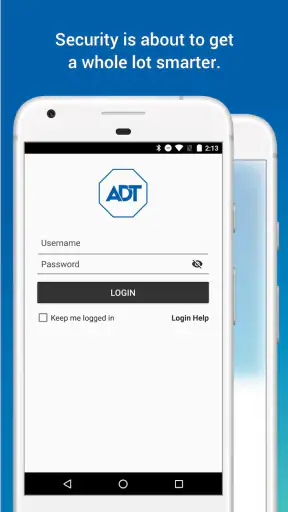
I would approach the first session with the same care as setting up any account that can affect a home. I would make sure I was using the correct ADT credentials, confirm that the household members who need access were accounted for, and avoid rushing through notifications. A security alert is only useful if it reaches the right person and is easy to understand when it arrives.
The first useful habit is to learn the difference between checking a status and changing a status. Looking at the home from the app is a low-risk action. Sending a command that changes the security state deserves more attention, because a rushed tap can create an outcome that is very different from what I intended. I prefer to pause long enough to verify the home or system label before confirming an important action.
This is also where the app’s lifestyle category makes sense. It is not presented like a technical administration console. The experience is designed around ordinary household moments: leaving, arriving, checking, and responding. That makes it approachable, but it also means users who want deep technical controls may find the interface less satisfying than a specialist dashboard.
A realistic morning workflow
Imagine I am leaving for work and cannot remember whether the house was secured. Instead of driving back, I open the app and check the current state. If everything looks right, the task ends there. If it does not, I can use the available control provided by my connected ADT setup, then wait for the app to reflect the new state before putting the phone away.
That final confirmation is the step I would not skip. A button press is not the same as a completed result. Network delays, a device that is unavailable, or an incorrectly selected location can all make a quick action less reassuring than it first appears. The app is most trustworthy when I use it as a short loop: inspect, act if needed, confirm, and only then continue with the day.
For a household with more than one person coming and going, this can reduce the number of “did anyone set it?” messages. It does not remove the need for common sense, but it gives the household a shared place to check the situation. That is a more meaningful benefit than simply having another icon on the phone.
Turning an alert into a decision
The more important workflow begins when an alert arrives away from home. My first move would be to read the alert carefully instead of reacting to the notification preview alone. I would identify which home or connected area it refers to, check the current status in the app, and then decide whether the next step is something I can handle remotely or something that requires another person.
This is one of the app’s strongest practical ideas: it can shorten the distance between an event and a response. I can check the phone before calling a neighbor, contacting a family member, or deciding that I need to return home. That does not mean every alert is automatically clear. A notification still needs context, and the app cannot replace judgment about what may actually be happening in the physical world.
I also found that alerts are easier to manage when I have already decided what different situations mean. For example, a household can agree that one person checks the app first, another person handles a call, and nobody repeatedly sends commands without knowing the current state. That kind of handoff is not a flashy feature, but it makes the technology less chaotic.
Where the handoffs happen
ADT Control® sits between several parts of a larger process. The phone is one handoff point, the ADT account and connected equipment are another, and the people responding to an event complete the chain. If any one of those links is unclear, the app can feel unreliable even when the interface itself is working correctly.
Consider a family member who is not at home but needs to know whether the household is safe. The best result comes when access, responsibilities, and notification expectations are already understood. Without that preparation, one person may assume another received an alert, or someone may change a setting without telling the rest of the household. The app can centralize control, but it cannot create a household agreement by itself.
I would also be careful with shared phones and casual account use. Convenience is valuable, yet a security app should not be treated like a public remote control. Keeping the phone protected and being deliberate about who can use the account is part of the workflow. This is especially important when the app can affect the state of a real home rather than merely display information.
What the experience does well
The clearest strength is continuity. Instead of starting from a separate alarm panel when I am home and a completely different mental process when I am away, I can use the mobile app as a familiar reference point. That makes quick checks less disruptive and gives remote decisions a consistent place to happen.
Another strength is the way the app connects security with everyday routines. I do not need to think of home protection as an isolated event that happens only when I arm or disarm something. Checking before a trip, responding during a busy workday, and confirming the home after someone leaves are all part of the same flow. For people who already rely on ADT, that integration is more useful than a generic app with no relationship to the installed system.
The broad adoption also gives me some confidence that the product is not an abandoned side project. Still, popularity should not be confused with universal suitability. A high average rating can reflect satisfaction among existing ADT customers, while a person without compatible service may have an entirely different experience.
How it compares with ordinary alternatives
Compared with a traditional wall-mounted control panel, the app wins on location. I can check the home from outside the house rather than needing to be physically near the panel. The panel may still feel more direct for a person standing at the door, but the phone is clearly better for remote awareness and last-minute confirmation.
Compared with a collection of separate smart-home apps, the advantage is concentration. A generic camera application may handle viewing well, while another smart-home application may handle locks or lights, but moving between unrelated apps can make an urgent situation harder to interpret. ADT Control® is more appealing when the priority is keeping the ADT-connected security workflow together.
On the other hand, a person who wants to mix equipment from many brands may prefer a broader smart-home platform. Those platforms can offer more flexibility across manufacturers, while this app is most sensible inside the ADT ecosystem. I would not choose it solely because it is free; I would choose it because it matches the security service already installed in the home.
Where the flow breaks
The biggest weak point is dependency. If the connected ADT service, account, equipment, or network connection is not ready, the app cannot magically provide the missing foundation. That can be frustrating for someone expecting the download to function as an independent security product.
Remote control also introduces a layer of uncertainty that does not exist in quite the same way when I use a physical control nearby. A command may need time to travel, and a status may need time to update. I would never assume that tapping a control proves the physical outcome. The safer habit is to look for the resulting state and treat an unclear result as unresolved rather than successful.
Notifications can create their own friction. Too few alerts make the app less useful, while too many can train me to swipe them away without reading. The right balance depends on the household and the connected setup, so I would spend time deciding which alerts deserve immediate attention. A phone that constantly interrupts me is not necessarily keeping me better informed.
There is also a human limitation: convenience can encourage overconfidence. Being able to check remotely may make a person feel that every situation is under control, even when the app only shows part of the picture. I would use it to support decisions, not to replace a sensible response when something genuinely looks wrong.
Who should use it, and who should skip it
I would recommend it to an ADT customer who wants a practical mobile connection to an existing home security setup. It suits people who travel, work irregular hours, share responsibility for a home, or simply want to confirm the household state without walking back to a control panel. It is particularly helpful when a small action, such as checking before leaving, can prevent a long detour.
I would be more cautious recommending it to someone shopping for a completely independent security solution. The free price is attractive, but the real decision involves the surrounding ADT service and compatible equipment. A person who wants a camera-only tool, a phone-based personal safety app, or a multi-brand smart-home controller may find a different category of product more appropriate.
It is also not my first choice for a technically minded user who expects extensive customization and detailed device administration. The app’s strength is a household-friendly security workflow, not an endlessly configurable control environment. That trade-off is reasonable, but it should be understood before installation.
My final result after using the workflow
When the starting condition is right, the outcome is reassuringly simple: I can check the connected home, make an informed remote decision, and pass the situation to the right person without needing to be there. The app’s best moments are not dramatic. They are the small confirmations that prevent uncertainty from interrupting a normal day.
My advice is to judge it in that context. Install it if you already use ADT and want the phone to become a dependable part of the home-security routine. Start by learning the status view, then practice the sequence of checking, acting, and confirming before relying on it during a stressful moment. Agree with household members about who responds to alerts, and do not treat an unconfirmed command as completed.
ADT Control® is a solid lifestyle companion for the ADT ecosystem, with a free download, an Everyone age rating, and a mature presence since its 2019 release. I like it because it connects ordinary routines with remote awareness without demanding that I stand beside the home’s control panel. Its limitation is equally clear: the app is only as useful as the connected ADT setup and the household workflow around it. For the right user, that is a worthwhile convenience; for everyone else, a more independent alternative may be the better fit.


